> ## Documentation Index
> Fetch the complete documentation index at: https://docs.specterops.io/llms.txt
> Use this file to discover all available pages before exploring further.
# Configuring Extra Fields
Ghostwriter v4.1 introduces Extra Fields, additional user-defined fields that can be added to several objects that Ghostwriter stores for data specific to your own workflow.
### Configuring
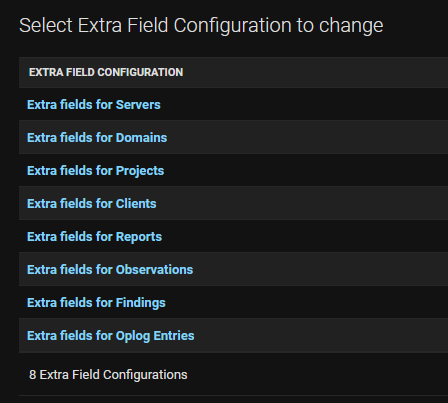
To configure extra fields, go to Admin Panel > Admin Panel, and then "Extra Field Configurations". Then select the object type you wish to configure extra fields for.
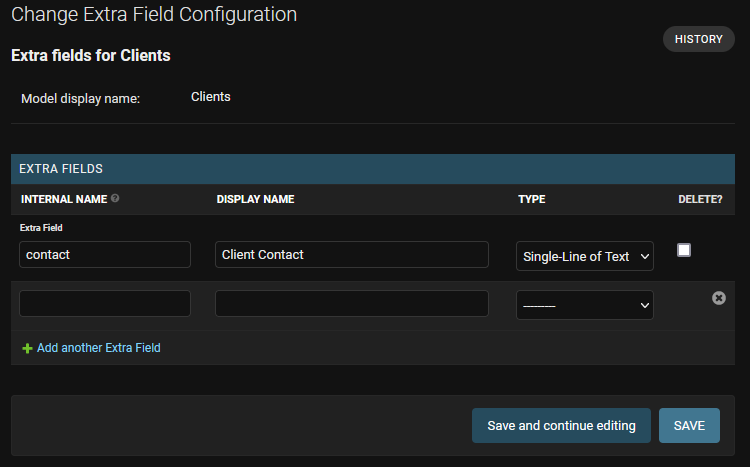
 Each extra field has the following options:
* Internal Name: Name used to store the field internally, as well as in templates. Cannot contain spaces, and must be unique across all fields for an object type.
* Display Name: Name that is used in the UI for the field. Spaces are allowed here.
* Type: The data type of the field. Currently this includes:
* **Checkbox**: Single true/false checkbox
* **Single Line of Text**: Single line of unformatted text
* **Formatted Text**: Multiple lines of text with formatting
* **Integer**: Whole integer value without any decimal component
* **Number**: Numeric value, potentially with a decimal component
Each extra field has the following options:
* Internal Name: Name used to store the field internally, as well as in templates. Cannot contain spaces, and must be unique across all fields for an object type.
* Display Name: Name that is used in the UI for the field. Spaces are allowed here.
* Type: The data type of the field. Currently this includes:
* **Checkbox**: Single true/false checkbox
* **Single Line of Text**: Single line of unformatted text
* **Formatted Text**: Multiple lines of text with formatting
* **Integer**: Whole integer value without any decimal component
* **Number**: Numeric value, potentially with a decimal component
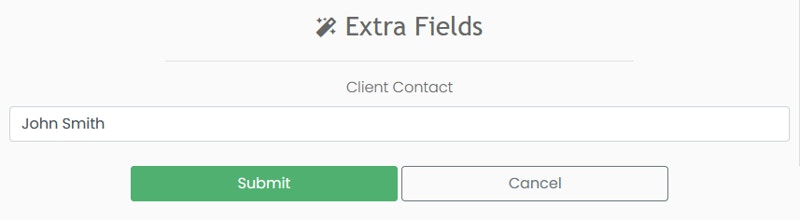
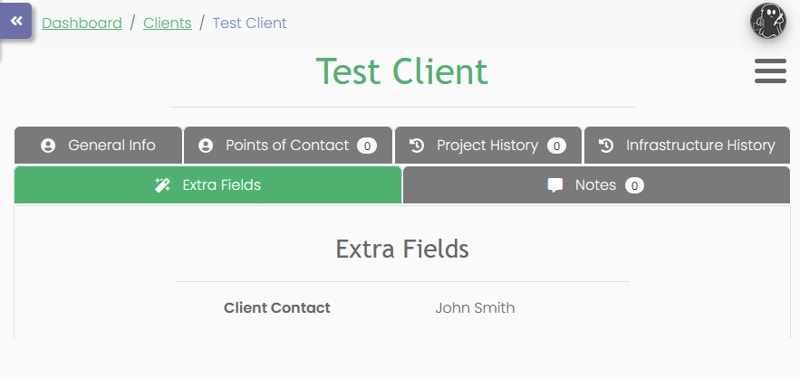
 After saving the field, it will appear in the object's edit forms and in their detail pages:
 ### Using in Templates
In templates, an object's extra fields are stored as subattributes of the `extra_fields` attribute. For example, to display the field with the internal name `internal_contact` on a Client stored on the variable `client`, you can write `{{client.extra_fields.internal_contact}}`.
The extra field may be `None` internally if the extra field was created after the object was, and has not been set yet.
### Using in Templates
In templates, an object's extra fields are stored as subattributes of the `extra_fields` attribute. For example, to display the field with the internal name `internal_contact` on a Client stored on the variable `client`, you can write `{{client.extra_fields.internal_contact}}`.
The extra field may be `None` internally if the extra field was created after the object was, and has not been set yet.