> ## Documentation Index
> Fetch the complete documentation index at: https://docs.specterops.io/llms.txt
> Use this file to discover all available pages before exploring further.
# Server Management
> Managing servers with the Server Library
## The Server Library
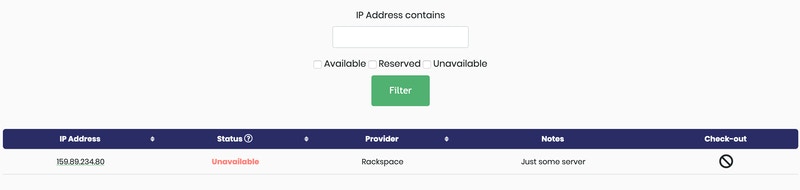
The server library lives at `/shepherd/servers/`. The library is where users can view the current status of each server and checkout a server for a project.
 ### Types of Servers
The infrastructure manager tracks static servers and transient servers.
The server library tracks servers in the `StaticServer` model. These *static* servers are intended to be servers you own, such as your command control team servers.
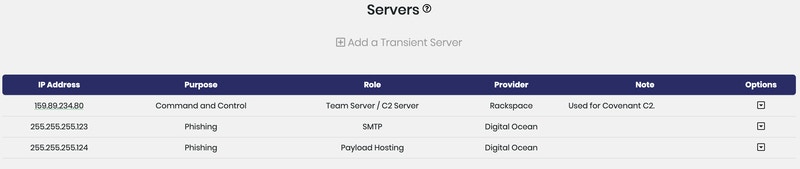
The `TransientServer` model tracks *transient* servers, the various cloud servers/virtual private servers that come and go during assessments. The **Add a Transient Server** button adds these servers to specific projects from the project details page.
### Types of Servers
The infrastructure manager tracks static servers and transient servers.
The server library tracks servers in the `StaticServer` model. These *static* servers are intended to be servers you own, such as your command control team servers.
The `TransientServer` model tracks *transient* servers, the various cloud servers/virtual private servers that come and go during assessments. The **Add a Transient Server** button adds these servers to specific projects from the project details page.